
TikTok
Sync Verada 360 with TikTok Custom Audiences
The TikTok integration can only be used as a synchronization destination in audiences.
Authentication
Verada 360 connects to your TikTok account through a secure OAuth2 connection.
Upon clicking the "Initialize connection" button in the destination editor, you will see a popup that asks for a few items.
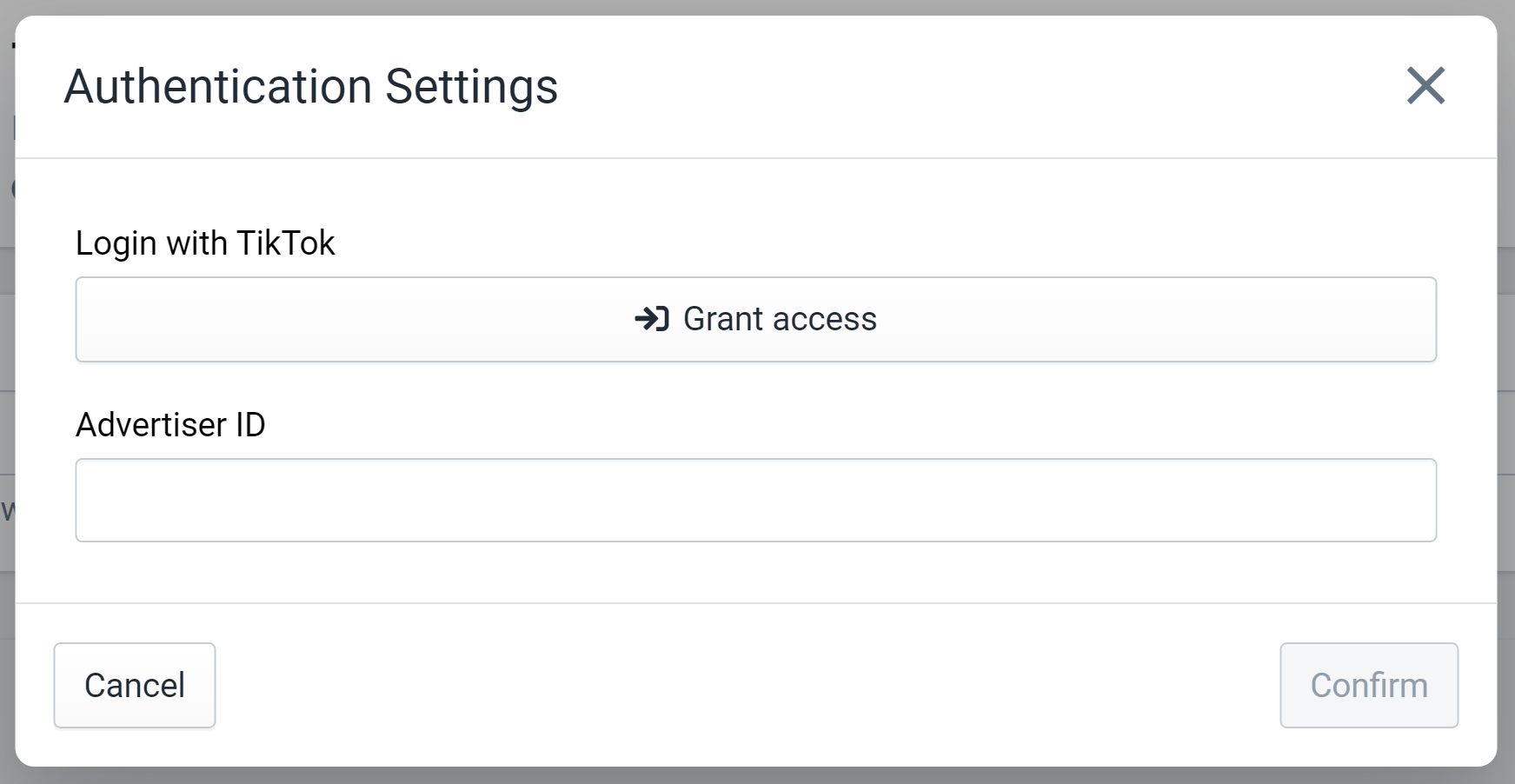
Figure 1: Authentication Settings for TikTok
First, click "Grant access" to begin the authentication process. This will take you to TikTok's login page to confirm that you want to connect your account with Verada 360. Make sure to login with the TikTok account that has access to the desired TikTok Advertiser account. Upon confirming the connection, you will be directed back to the Verada 360 destination editor.
Next, you will need to input your TikTok Advertiser ID into the text field below. This tells Verada 360 which Advertiser account to manage audiences. You can find this in multiple places in the TikTok Ads Manager, but it should be available in the header of most pages like shown in figure 2.
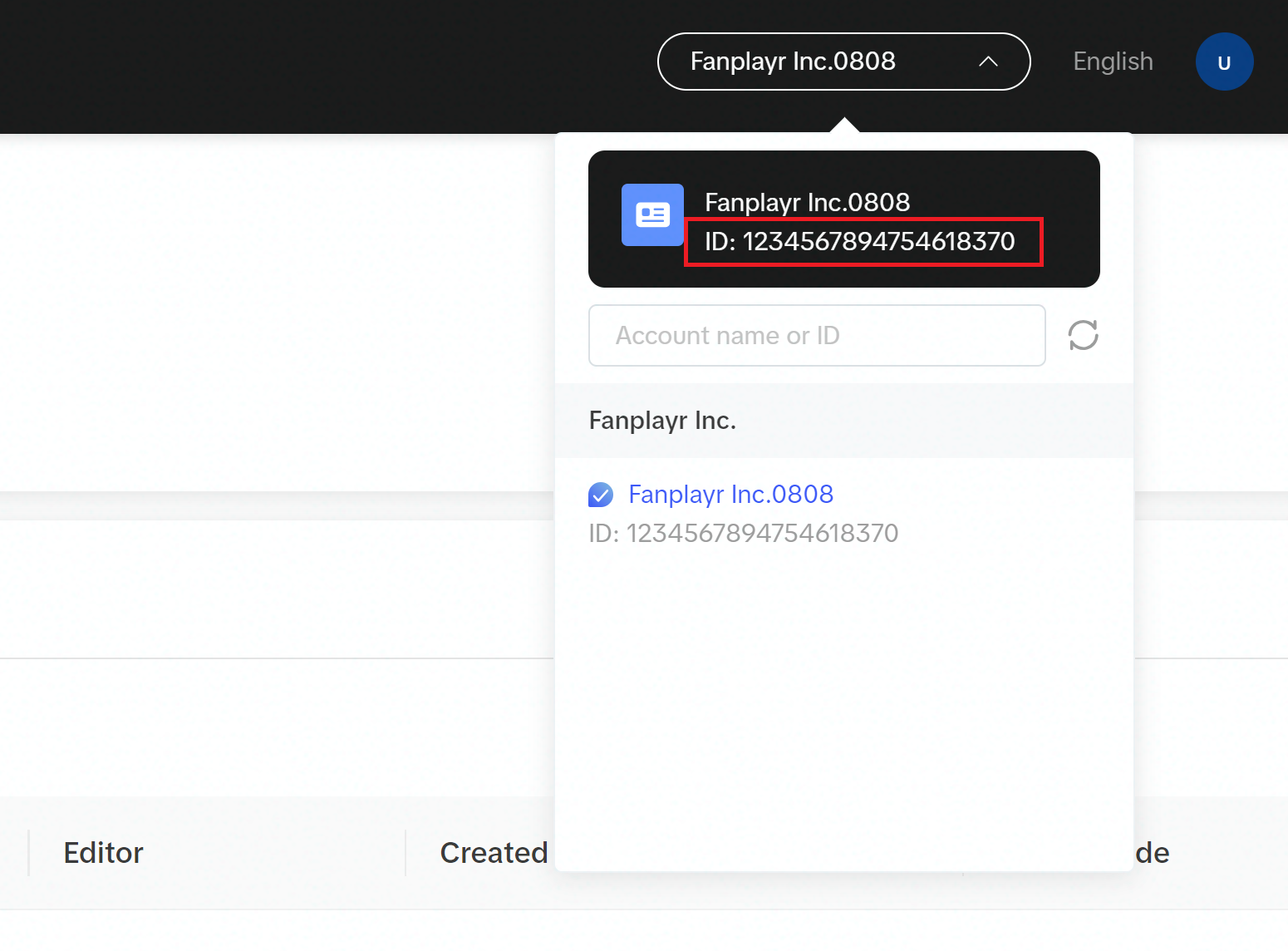
Figure 2: TikTok Advertiser ID
After finding and entering the Advertiser ID into the text field, click "Confirm" in the destination pop up to complete authentication.
Capabilities
Sync Verada 360 Audience with TikTok Custom Audience
The only capability available for the TikTok integration is syncing Verada 360 audiences with TikTok Custom Audiences.
The setup for the destination is simple and only requires the selection of a TikTok audience to synchronize to. However, Verada 360 can only synchronize to TikTok audiences of type "Partner". These type of audiences cannot be created in the UI of the TikToks Ads Manager and must be created through their API.
For your convenience, Verada 360 offers a "create for me" button that will invoke the TikTok API directly to create a "Partner" audience through our destination editor. Use this button to easily create an audience in TikTok that Verada 360 can sync to. The only item required in this case is an audience name.
User emails and phone numbers can be output to the TikTok audience but the email address is required. This means that users in the Verada 360 audience will not sync to TikTok if they do not have an email address in our system, even if the user belongs to the underlying Verada audience. By default, only emails are synced, but this can be customized in the "Outputs" section of the destination editor.